The Raspberry Pi
Model 4B running Raspberry Pi OS, in a case with a power button toggle. The fan runs off 5V on the GPIO, with aluminium heat sinks cooling the CPU and RAM.
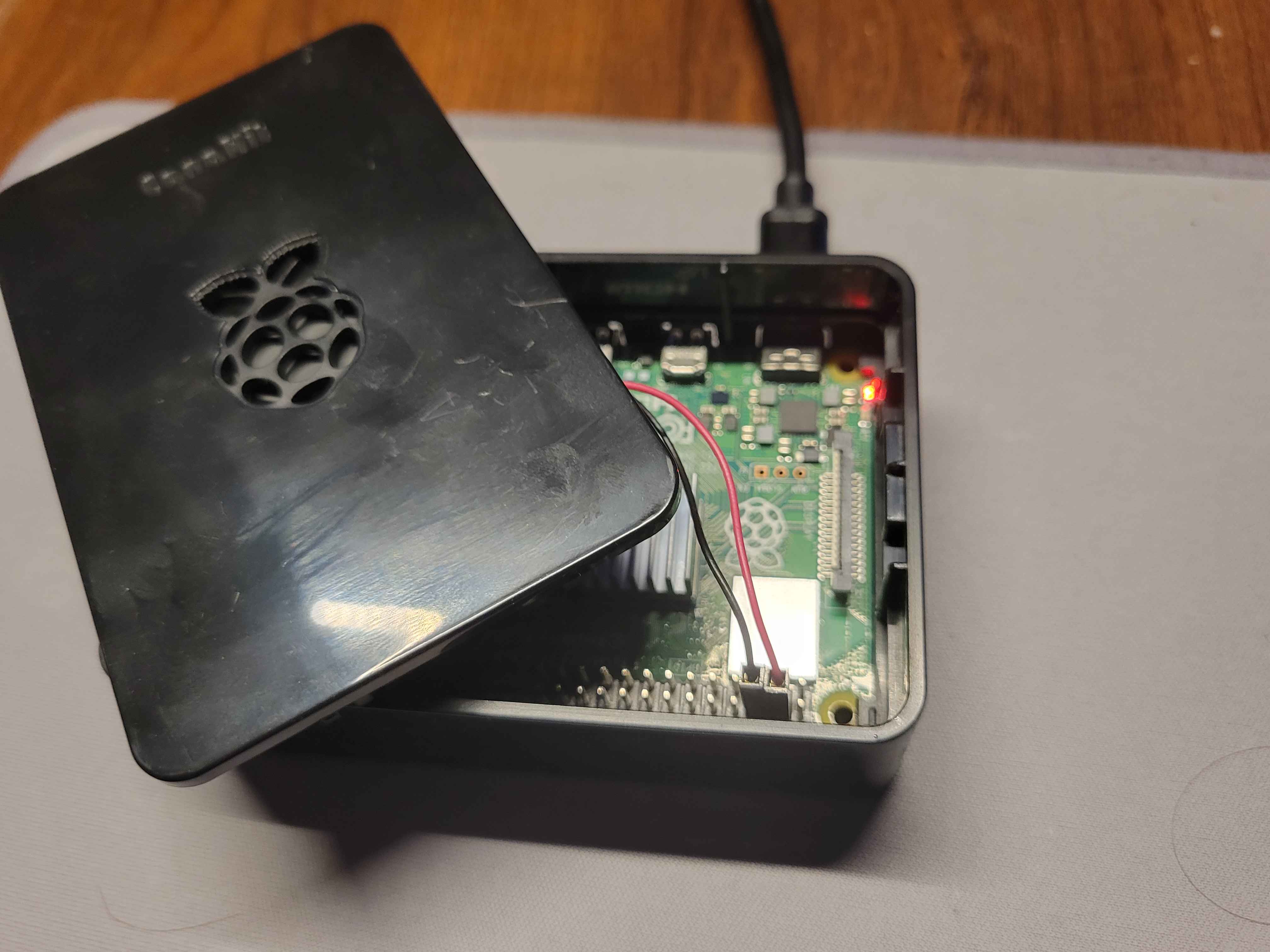
Put Together
Each project is a Docker Compose stack. The containers share a Docker network, which lets them reach each other by service name without publishing ports to the outside, so the task app's API is reachable from its own front end and from nowhere else.
nginx sits in front of each front end, serving the built static files and
proxying /api back to the Node service. Public traffic arrives through a
Cloudflare tunnel, so no port on my home router is open to the internet. Each
project gets its own subdomain.
What Runs
frangiclave.com- Portfolio Hubauth.frangiclave.com- Accounts Layer, shared domain-widetasks.frangiclave.com- Scheduling Agent
The Voice Trip Coordinator is not deployed yet. It ran on a hackathon host that is now retired, and the source is available on Github. A private side of the domain, for personal tools rather than published ones, is my next priority though.
One Account
User authentication happens once on its own service layer to give access to my whole site. The browser is handed a session that belongs to the parent domain, so it sends that session to each subdomain under it too. Nothing has to be passed between the apps, and none of them handle a password.
Each app asks the auth service who a request belongs to, gets back an id, and then only ever touches that person's data. Adding a fourth app requires only adding it to the same service, and locking an app to particular accounts is one field on the account.
Lessons Learnt
1. Architecture
Building MERN stack patterns was a different problem from balancing networks,
containers and Cloudflare. My applications had to agree on where the boundary
between them sat before any of the hosting could be worked out.
A solid RESTful API was that boundary. It let me containerise the front end and
the back end separately while keeping them on the same network, which is also
what the Cloudflare tunnel needs. That partitioned structure means I can keep
building without stepping back to accomodate new infrastructure, and Docker Compose
brings the whole stack up in one command.
2. Overbearing Classnames
TailwindCSS makes UI and aesthetic design much more pleasant. Covering layout,
colour, responsiveness and screen sizes introduces a new problem though, which is
an overwhelming number of classes on a single element.
Keeping a ruleset that splits classes by their purpose, with layout written
inline and appearance named separately, turned out to be a good communication
layer between me and Claude Code while building the front end.
3. Development vs. Production
The homelab is a natural production line and my laptop is the development one. I
would ssh into the Pi, copy files across and change ports by hand to get from a
dev build to a working nginx config.
That was ineffective and crude. Now my laptop holds the only writing GitHub key,
and the Pi gets read-only repo keys so it can only pull. The handful of
settings that differ between the two, such as which domain a login cookie belongs
to, live in the Compose file rather than the environment file to overwrite development
settings. This reinforces a streamlined transition between development and production.
Why Self-Host?
Deploying to an external platform does not teach you much about what hosting actually involves. Running the hardware myself means I own the DNS, the certificates, the proxying and the containers, along with everything that goes wrong with them.